
Pixel Logo Studio
A drag-and-drop, block-stacking logo editor for the desktop — build logos from primitive shapes and export crisp PNG & SVG with a transparent background.
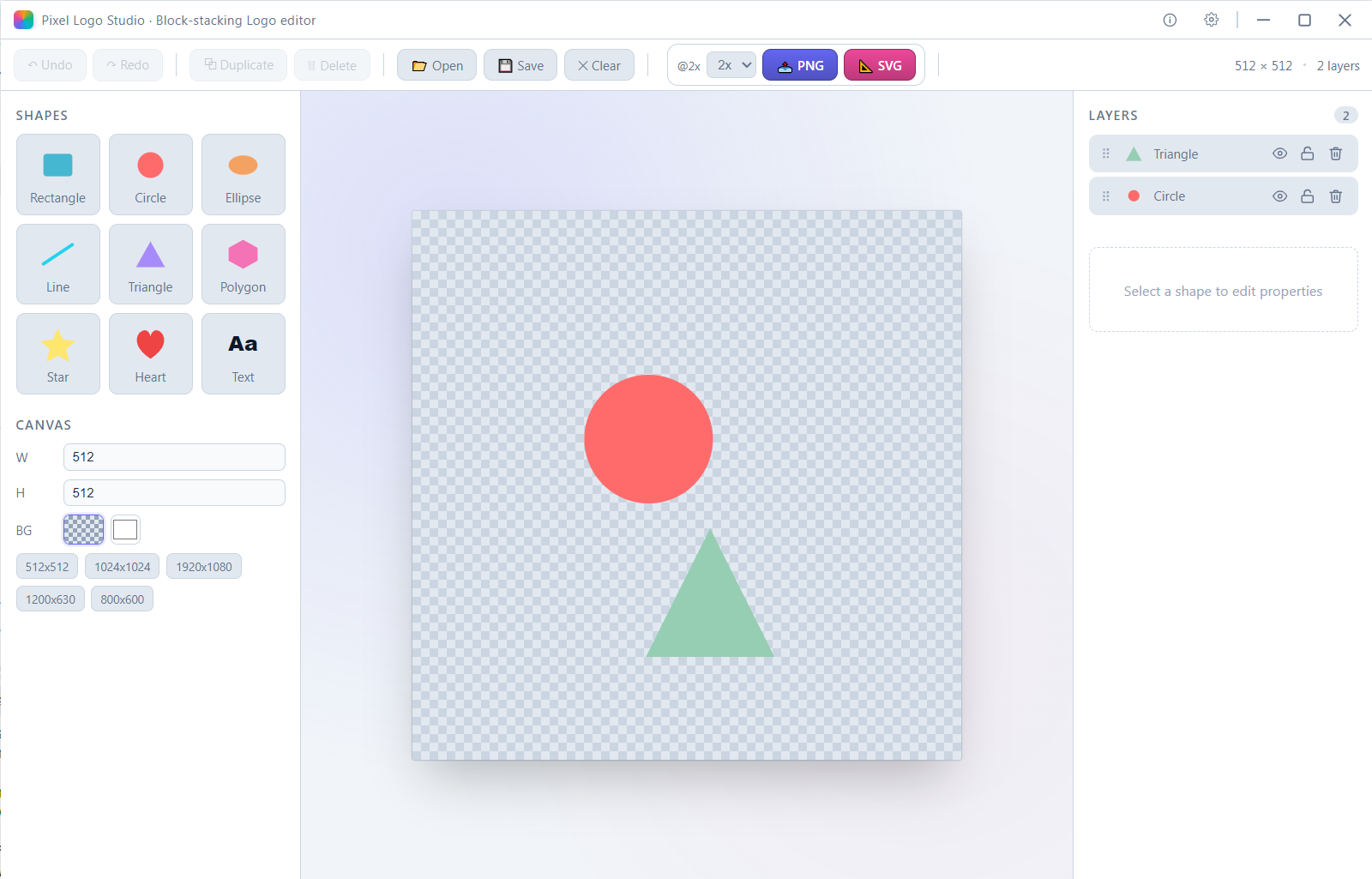
Overview
Build logos the way you stack blocks.
Pixel Logo Studio is a drag-and-drop, block-stacking logo editor for the desktop (Windows, macOS, Linux). Build logos from 9 primitive shapes, keep a transparent background, and export crisp PNG & SVG — no design degree required.
Features
- 🧱 Block-stacking design — Drag (or click) 9 primitive shapes onto the canvas: rectangle, circle, ellipse, line, triangle, polygon, star, heart (path), and text
- 🔧 Full transform — Select, drag, 8-direction scaling handles, rotation stem (Shift snaps to 15°), arrow-key nudge (1 px, Shift = 10 px)
- 🗂️ Layer panel — Drag-to-reorder, toggle visibility/lock, delete, four-step z-order controls
- ⚙️ Property panel — Position, size, rotation, opacity, corner radius, star point count & inner ratio, polygon sides, text & font settings, fill/stroke
- 📐 Multi-select alignment — One-click left / center / right / top / middle / bottom for ≥ 2 shapes
- 🪟 Transparent background — Checkerboard preview; PNG keeps its alpha channel, SVG omits the background rect
- 📤 Export — PNG via in-browser Canvas at 1×–4× supersampling with native save dialog; vector SVG serialized from the shape tree
- 💾 Project persistence — Save / open
.pixel.jsonproject files; editor state auto-cached inlocalStorage - ↩️ Undo / redo — 50-step history stack (Ctrl+Z / Ctrl+Shift+Z / Ctrl+Y)
- 🎨 Light & dark themes — Switchable in settings, persisted to
localStorage - 🌐 Bilingual UI — Full English and 简体中文 localization
Tech stack
| Layer | Technology |
|---|---|
| Desktop shell | Wails v2 (Go 1.22+) |
| Native dialogs / file I/O | Go (runtime.SaveFileDialog, os.WriteFile) |
| Frontend | Vue 3.5 + TypeScript + Vite 6 |
| State | Pinia 2 |
| Rendering | SVG DOM (editable) → Canvas (PNG export) |